
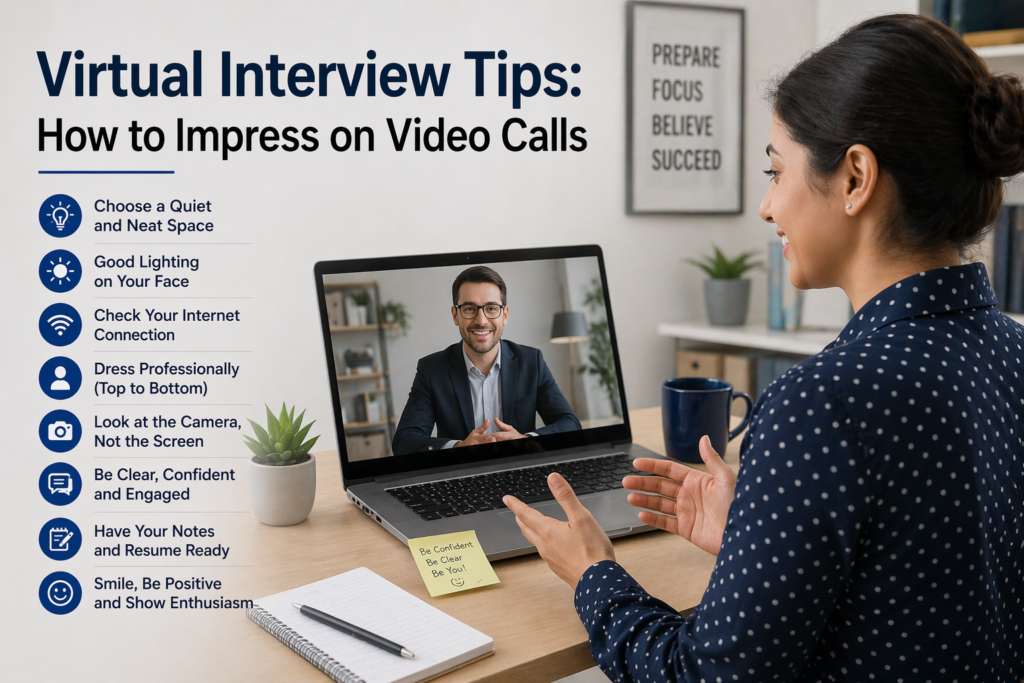
Virtual Interview Tips: How to Impress on Video Calls
It is acknowledged that digital interviews may feel unnatural at first. You are sitting in front of a screen, appearing poised while also worrying if your internet will suddenly drop. Its not the same as walking into an office, shaking hands and making that first impression in person. But in reality video interviews are now a Standard procedure especially for remote roles.
The good news? With a few simple tweaks, you can come across as just as confident, professional and memorable on a video call as you would in person.
Set Up Your Space (It Matters More Than You Think)
Before you even think about answering questions take a look at your background. An messy area or a Noisy setting is distracting and unprofessional look.
You do not need a fancy setup.
Just make sure:
- The background is clean and simple
- Lighting is in front of you (not behind)
- Theres minimal noise
Natural light works great.Should that not work, a Task light placed in front of you can Help greatly. You want the interviewer to see you clearly not a shadow.
Dress Like You Mean It
Its tempting to dress casually since you are at home—but do not. Wearing professional attire shapes a professional mindset and showcases competence, even in a remote-work context; therefore, you should opt for fully professional clothing it seems odd but it actually boosts more prepared and confident.
Test Your Tech (Seriously, Do It)
This is where a lot of people slip up. We cannot afford to wait any longer.
Check:
- Your internet connection
- Camera quality
- Microphone clarity
- The platform (Zoom, Google Meet, etc.)
Enlist a friend to help you with mock interview practice. Its better to Troubleshoot than stress out
Focus on the camera lens, not the screen.
For better virtual engagement, look directly into the camera when speaking
If you keep looking at your screen, it can seem like you are checked out or unprepared and even if you are not.
A handy tip: Put the interview screen near your webcam for a more natural conversation flow.
Keep Your Body Language Open
Even on video, your body language speaks a lot.
- Sit straight
- Avoid crossing arms
- Nod occasionally to show you are engaged
- Smile when appropriate
You do not need to overdo it. Just be natural but aware.
Speak Clearly and Do not Rush
Sometimes theres a slight delay in video calls, which can lead people to talk too fast or interrupt.
Take your time:
- Speak clearly
- Pause briefly after the interviewer finishes
- Do not be afraid of short silences
It actually makes you sound more thoughtful and confident.
Keep Notes (But Do not Read)
One advantage of virtual interviews is that you can keep a few notes nearby.
Leverage your notes:
- company research
- Questions you want to ask
- company research
- But do not read from them like a script.
Show Energy and Interest
On video energy does not always come across as strongly as in person. So you may need to be slightly more expressive than usual.
Simple things help:
- smile
- use optimistic language
- inquire about the companys goals
If you look bored or unenthusiastic — even unconsciously , it can hurt your chances.
Final Thoughts
You get to present yourself from your own space on your terms.
Focus on being prepared, staying calm and showing your genuine personality. You do not need to be perfect—you just need to be real, clear and confident.
And transparency, thats what most interviewers are looking for anyway.